Guide for new users
For those who don't have "My Account"
You can create "My Account" at "My Account" registration.
Please create "My Account" now for better shopping experience.
- You can fill out forms easily when you purchase our products. It saves the necessary information such as your name and address.
- It saves your cart information automatically for when you start shopping again.
- You don't need to log in to "Photo Browser" to check out the photos again the next day.
Log in to "My Account"
*Please skip this procedure if you want to go to "Photo Browser" without creating "My Account".
- Please click on the "My Account" log-in button on the upper right corner and display the log-in form for "My Account".
▼Upper right corner

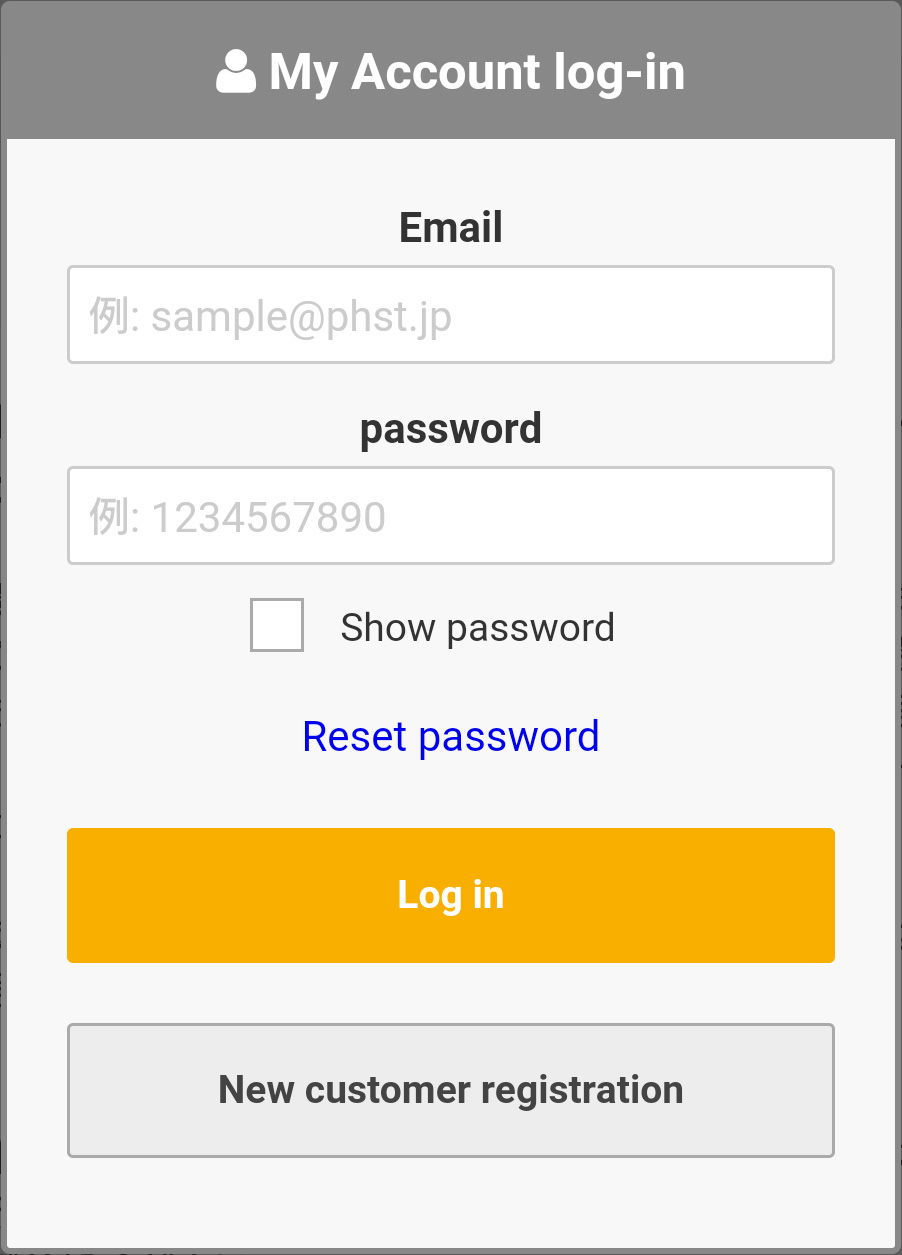
- Please type email address and password and click on the log-in button. Your name will appear on the upper right corner which means you have logged in.
▼"My Account" log-in form
Log in to "Photo Browser"
- You will get to "Photo Browser" log-in form after you log in to "My Account".
- You will get to "Photo Browser" log-in form after you click on the "Photo Browser" button.
▼"Photo Browser" button

- If you haven't created "My Account" yet, please go to HOME to reach "Photo Browser" log-in form.
- Please type 「log-in ID for Photo Browser」and 「password」into the "Photo Browser" log-in form. Please type the 5 alphabet characters in the image in "hankaku (half-width)" alphabet characters and click on the log-in button.
▼"Photo Browser" log-in form

Choose photo
- You will get a list of photos after you log in to "Photo Browser". You can click on the red "select photo group" button to see the photos in different groups.
- You can click on the photos on the list to get an enlarged image. You can enlarge the image further by placing the cursor/arrow on it.
- Please click on the "add to cart" button to purchase photos.
- You can click on the star-shaped icon to add photos to favorites for later purchase.
- You can check the photos in your cart and favorites by clicking on the "cart" button on the upper right corner.
- You can go to the bottom of the page to check price, delivery fee, handling fee and so forth.
Choose product/size
- You can check all photos in your cart and favorites by clicking on the "cart" button on the upper right corner.
- You can select the product and the size for it from the drop-down menu in your cart. If you want to cancel the product and the size, please click on X symbol next to each product/size.
- If you want to delete photos from your cart, please click on a trash can icon on the below of each thumbnail.
- After you select the size, you can choose the number of photos to purchase with + and - buttons. You can also check the final printed image in the selected size.(You can see if there are any parts to be cut off.)
- You can click on the photos in your cart and favorites to enlarge their images.
▼Photo size/amount changes

If you want to decide the size and amount for all photos in your cart at a time, please go to the "bulk select" drop-down menu to choose the size and amount and click on the "bulk select" button.
▼Bulk-selected photo size/amount

Choose payment method, shipping/delivery method and so forth.
- You can click on the red "make a payment" button on the bottom of the cart page to go to fill out the recipient's information form.
- After you choose the product and its size, you can click on the red "make a payment" button on the bottom of the page to go to fill out the recipient's information form.
- Please click on "confirmation" button at the bottom after you fill out all the necessary information such as payment method, shipping/delivery method and recipient's address.
Confirm order
- You will get the final confirmation. Please click on "confirm an order" button at the bottom after you make sure the order information is all correct.
- Your order is complete when you get the order complete page. A confirmation message will be sent to your email address. If you don't get any confirmation messages, please contact us by inquiry form or by phone.